ROS 2 is the framework the modern robotics world is built on — from research labs and autonomous mobile robots to industrial arms and drones. Despite the name, it is not an operating system; it is the software backbone that lets the many parts of a robot talk to each other cleanly. It has a reputation for being intimidating, but it rests on a small set of clear ideas. This guide assumes you know nothing. By the end you will understand how ROS 2 really works — its concepts, its tools, its structure — and you will have built and run your own ROS 2 nodes in Python. This is meant to be a real, complete foundation, not a surface tour.
What ROS 2 actually is
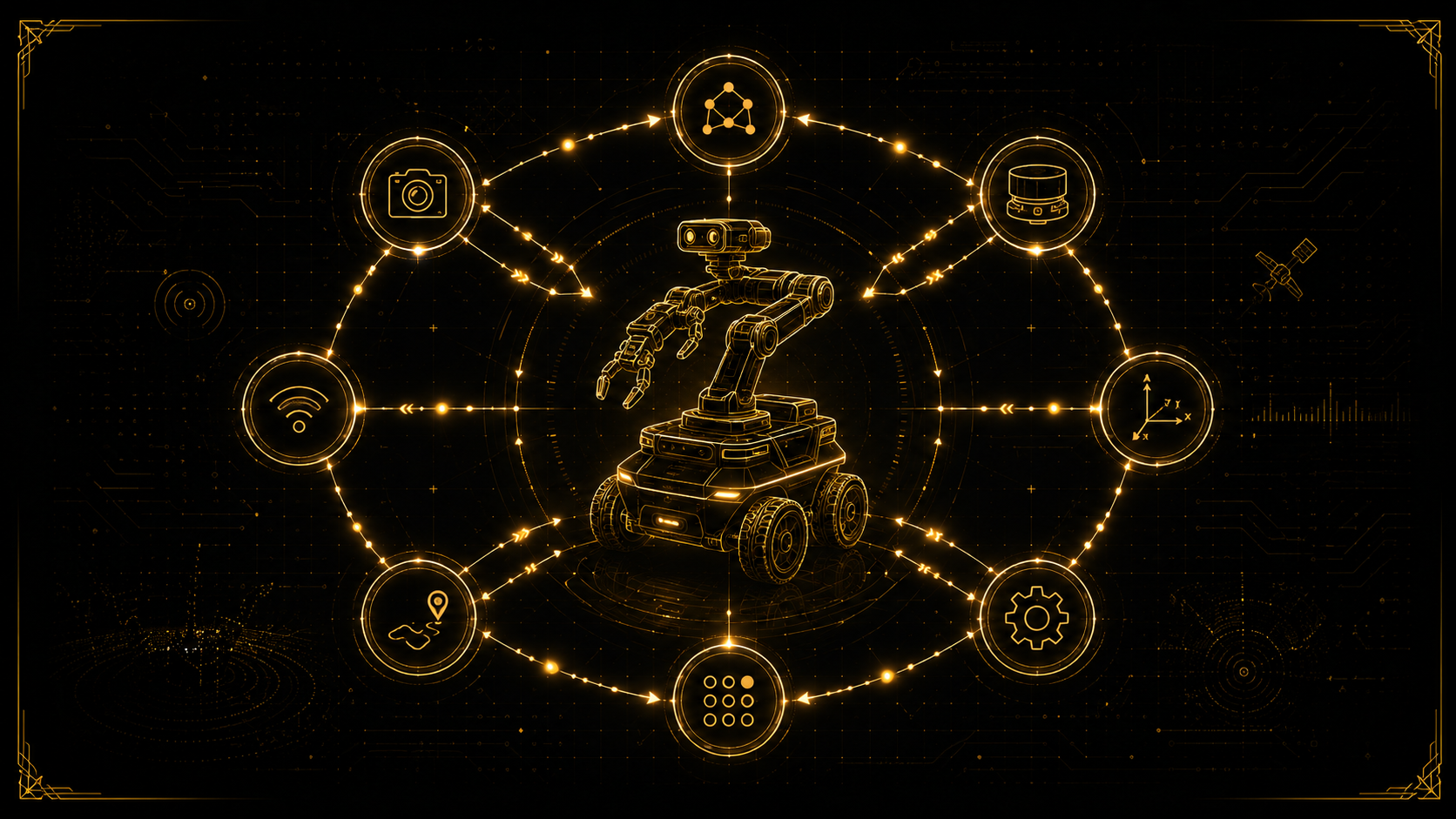
ROS 2 (Robot Operating System 2) is a middleware and set of tools and libraries for building robots. Think of a robot as many small programs that must cooperate: one reads a camera, one runs the motors, one plans a path, one localises the robot. ROS 2's job is to let all of these programs discover each other and exchange data reliably, in a standard way, so you never have to reinvent that plumbing. It also gives you a rich ecosystem — drivers, simulators, navigation and manipulation stacks — that you can build on instead of starting from zero.
Why ROS 2, and how it differs from ROS 1
ROS 1 was hugely influential but had real limitations for modern, production robots. ROS 2 was rebuilt from the ground up to fix them:
- No central master: ROS 1 needed a single "roscore"; if it died, everything died. ROS 2 uses decentralised automatic discovery, so nodes find each other peer-to-peer.
- Built on DDS: ROS 2 uses the industrial Data Distribution Service standard for its communication, bringing robustness, configurable reliability and real-time capability.
- Real-time and safety focus: designed for deterministic behaviour and safety-critical use, not just research.
- Security: communication can be authenticated and encrypted (SROS 2).
- Cross-platform and multi-robot: runs on Linux, Windows and more, and scales naturally to many robots.
In short, ROS 2 keeps the productivity of ROS 1 while being fit for real products.
Distributions and installation
ROS 2 ships as named distributions, released on a schedule and paired with an Ubuntu version. Long-term-support releases are the ones to build on — for example Humble Hawksbill (Ubuntu 22.04) and Jazzy Jalisco (Ubuntu 24.04). The most common way to learn is on Ubuntu, installing ROS 2 from the official apt packages. Pick an LTS distribution matching your Ubuntu version, and you will have a stable base with years of support.
The core idea: the compute graph of nodes
Everything in ROS 2 revolves around a running network of small programs called the compute graph. Each program is a node, and nodes exchange data over named connections. Your job as a ROS 2 developer is mostly to write nodes and decide how they talk to each other. There are three ways they communicate — topics, services and actions — and choosing the right one for each interaction is a core skill.
Nodes
A node is a single program that does one focused job — for example a "camera_driver" node or a "motor_controller" node. Keeping each node small and single-purpose is the ROS philosophy: it makes systems easier to build, test, reuse and debug. A real robot is dozens of nodes running together, and you can start, stop and inspect each one independently.
Topics: publish and subscribe
The most common way nodes communicate is topics, using a publish/subscribe model. A node publishes messages to a named topic (like /scan or /cmd_vel); any node interested subscribes to that topic and receives them. It is asynchronous and many-to-many: publishers and subscribers do not know about each other, only the topic. This is perfect for continuous streams of data — sensor readings, velocity commands, camera images.
Messages and interfaces
Every topic carries a specific message type, so both sides agree on the structure of the data. ROS 2 ships many standard types (a String, a Twist for velocity, a LaserScan for a lidar) and lets you define your own in simple definition files: .msg for messages, .srv for services and .action for actions. These live in interface packages and are the shared contract between nodes.
Services: request and response
Topics are one-way streams. Sometimes a node needs to ask another node to do something and wait for a reply — for example "reset the odometry" or "take one measurement". That is a service: a request/response call, one-to-one. Use services for quick, occasional actions that return a result, not for continuous data.
Actions: long-running goals
Some tasks take time and need progress updates — "navigate to this room", "pick up this object". For these, ROS 2 provides actions: you send a goal, receive continuous feedback while it runs, get a final result, and can cancel it partway. Actions are built on top of topics and services and are the right tool for any goal that is not instantaneous.
Parameters
Nodes almost always need configuration — a camera's frame rate, a controller's gains, a sensor's port. ROS 2 parameters are named values a node exposes, which can be set at launch or changed at runtime without editing code. They keep your nodes flexible and reusable across robots.
Quality of Service (QoS)
Because ROS 2 runs on DDS, you can tune how data is delivered per connection — this is QoS, and it trips up many beginners. The key settings are reliability (reliable, which guarantees delivery, versus best-effort, which is faster but may drop messages), durability (whether late-joining subscribers get the last message), and history/depth (how many messages are buffered). Critically, a publisher and subscriber must have compatible QoS or they will not connect — use reliable for commands, best-effort for high-rate sensor streams.
Client libraries: rclpy and rclcpp
You write nodes using a ROS 2 client library. The two main ones are rclpy for Python (fast to write, ideal for learning and high-level logic) and rclcpp for C++ (used where performance and real-time matter). Both sit on the same C core, so the concepts are identical — you can mix Python and C++ nodes freely in one system.
Workspaces, packages and colcon
ROS 2 code is organised into packages (a single library, node set, or interface definition) that live inside a workspace. You build a workspace with the colcon build tool, which compiles everything and produces a setup script you "source" to make your packages available. The build system underneath is called ament, with two flavours: ament_python for pure-Python packages and ament_cmake for C++. This structure is what lets huge robot projects stay organised and shareable.
Launch files
Running a real robot means starting many nodes with the right parameters — doing that by hand is impractical. Launch files (written in Python) start any number of nodes at once, pass them parameters, remap their topics and organise the whole system into one command. Learning launch files is the step from "running one node" to "bringing up a robot".
The command-line tools you will live in
ROS 2 has an excellent CLI that lets you inspect a live system without writing code. You will use these constantly:
ros2 node list              # what nodes are running
ros2 topic list             # what topics exist
ros2 topic echo /chatter    # watch messages on a topic live
ros2 topic info /chatter    # who publishes/subscribes, and the type
ros2 service list           # available services
ros2 param list             # parameters of running nodes
ros2 interface show std_msgs/msg/String   # inspect a message type
rqt_graph                   # a visual map of the whole compute graph
These tools turn debugging from guesswork into observation — a huge part of being productive in ROS 2.
tf2: keeping track of coordinate frames
A robot is full of coordinate frames — the base, each wheel, the camera, the gripper, the map — and knowing how they relate, moment to moment, is essential. tf2 is ROS 2's transform system: nodes publish the relationships between frames, and any node can ask "where is the gripper relative to the map right now?" and get the answer, correctly accounting for time. Mastering tf2 is essential for navigation and manipulation.
Describing a robot: URDF
To simulate, visualise or control a robot, ROS 2 needs to know its physical structure. That description is written in URDF (Unified Robot Description Format), an XML file defining the robot's links (rigid parts) and joints (how they connect and move). The URDF feeds visualisation, simulation and motion planning alike.
Simulation and visualisation: RViz 2 and Gazebo
Two tools are indispensable. RViz 2 is a visualiser: it shows your robot, its sensor data, its planned paths and coordinate frames in 3D, so you can see what your system believes. Gazebo is a physics simulator: it lets you run a complete virtual robot in a virtual world, so you can develop and test without hardware. Together they let you build most of a robot before touching a single motor.
The big stacks: Nav2, MoveIt 2 and ros2_control
Much of ROS 2's power is the mature software you can build on rather than write yourself: Nav2 for autonomous navigation (mapping, localisation, path planning, obstacle avoidance), MoveIt 2 for robot-arm motion planning and manipulation, and ros2_control for a standard hardware/controller interface. Knowing these exist — and that they follow the same concepts you are about to learn — is what lets you build serious robots quickly.
Hands-on, part 1: create a workspace and a package
Let's build for real (on a machine with ROS 2 installed and sourced). First, a workspace and a Python package:
# create a workspace with a source folder
mkdir -p ~/ros2_ws/src
cd ~/ros2_ws/src

# create a Python (ament_python) package
ros2 pkg create --build-type ament_python my_package
This gives you a ready package structure with a package.xml and a setup.py.
Hands-on, part 2: write a publisher and a subscriber (rclpy)
Inside ~/ros2_ws/src/my_package/my_package/, create publisher_node.py:
import rclpy
from rclpy.node import Node
from std_msgs.msg import String


class MinimalPublisher(Node):
    def __init__(self):
        super().__init__('minimal_publisher')
        self.publisher_ = self.create_publisher(String, 'chatter', 10)
        self.timer = self.create_timer(0.5, self.timer_callback)
        self.count = 0

    def timer_callback(self):
        msg = String()
        msg.data = f'Hello ROS 2: {self.count}'
        self.publisher_.publish(msg)
        self.get_logger().info(f'Publishing: {msg.data}')
        self.count += 1


def main(args=None):
    rclpy.init(args=args)
    node = MinimalPublisher()
    rclpy.spin(node)
    node.destroy_node()
    rclpy.shutdown()


if __name__ == '__main__':
    main()
And subscriber_node.py:
import rclpy
from rclpy.node import Node
from std_msgs.msg import String


class MinimalSubscriber(Node):
    def __init__(self):
        super().__init__('minimal_subscriber')
        self.subscription = self.create_subscription(
            String, 'chatter', self.listener_callback, 10)

    def listener_callback(self, msg):
        self.get_logger().info(f'I heard: {msg.data}')


def main(args=None):
    rclpy.init(args=args)
    node = MinimalSubscriber()
    rclpy.spin(node)
    node.destroy_node()
    rclpy.shutdown()


if __name__ == '__main__':
    main()
The pattern is worth reading closely, because every ROS 2 node follows it: initialise ROS, create a Node (here with a publisher on a timer, or a subscription with a callback), then spin so ROS can process events, and finally shut down cleanly. To let ros2 run find these, register them as entry points in setup.py:
    entry_points={
        'console_scripts': [
            'my_publisher = my_package.publisher_node:main',
            'my_subscriber = my_package.subscriber_node:main',
        ],
    },
Hands-on, part 3: build, run and inspect
Build the workspace, source it, and run the nodes in two terminals:
# from the workspace root
cd ~/ros2_ws
colcon build
source install/setup.bash

# terminal 1
ros2 run my_package my_publisher

# terminal 2 (source install/setup.bash first)
ros2 run my_package my_subscriber
The subscriber prints each message the publisher sends. Now inspect the live system without touching the code:
ros2 node list
ros2 topic list
ros2 topic echo /chatter
rqt_graph
You have just built a working ROS 2 system, watched two nodes communicate over a topic, and inspected the compute graph — the exact same pattern that scales up to a full robot.
Best practices and common pitfalls
- Always source your workspace (
source install/setup.bash) in every new terminal, or ROS 2 won't find your packages. - Watch your QoS: if a subscriber "hears nothing", mismatched QoS is a common cause — match reliability settings.
- Keep nodes small and single-purpose; resist building one giant node.
- Use parameters and launch files instead of hard-coding values.
- Rebuild after changing entry points or dependencies (
colcon build). - Learn the CLI early — it is the fastest way to understand what your system is doing.
A realistic learning path
Take it in this order and it stays enjoyable: install an LTS distribution; run the official talker/listener demo; write your own publisher and subscriber (as above); add a service and then an action; learn parameters and launch files; explore tf2 and a URDF; visualise in RViz 2 and simulate in Gazebo; and finally stand up Nav2 or MoveIt 2 on a simulated robot. Each step builds directly on the last, and every one of them uses the concepts in this guide.
Where to go from here
You now understand ROS 2 from its founding ideas to a working system: nodes and the compute graph, topics, services and actions, messages, parameters, QoS, the client libraries, workspaces and colcon, launch files, tf2, URDF, simulation, and the major stacks — and you have built real nodes yourself. From here, the path to autonomous navigation or robotic manipulation is a series of steps, not a leap.
ROS 2 is approachable at the start and deep in practice — and architecting reliable robotic systems on top of it, all the way down to the embedded hardware, is exactly the kind of engineering I do. If you are building a robot or an autonomous system and want it engineered properly, get in touch — I would be glad to help.